How is Zeffy free?

How is Zeffy free?
Zeffy relies entirely on optional contributions from donors. At the payment confirmation step - we ask donors to leave an optional contribution to Zeffy.
Learn more >

Verdict: On $50,000 raised, Zeffy is the only site on this list where $50,000 lands in your bank account. Among the sites that publish their rates, the others lose $1,240 to $4,105 to platform fees, processing and subscriptions before you see a report.
What works: No fees at all, a donor CRM built in, and donations, events, memberships, auctions, peer-to-peer and a store in one login with self-serve signup.
What doesn't: "No platform fee" sites that still pass card processing to you, rates set by contract or left unpublished, and CRM subscriptions you pay before a donor gives a dollar.
Best for: Nonprofits choosing where to take donations, events and memberships online.
Worth considering if: You pay a platform fee, a processing fee or a CRM subscription today.
You're comparing fundraising sites because you want more of every gift to reach your mission. So this list ranks them by one number: what your nonprofit keeps on $50,000 raised. We assume 500 gifts of $100 over a year and use each company's own published fees.
The fee you learn about late is the one that hurts. Many teams only find out what their processor takes when the treasurer reconciles the year. Sites that say "no platform fee" often still pass card processing to you. On $50,000, that's well over $1,000.
The second number is logins. Plenty of nonprofits run four or five tools at once: a donation form, an email tool, a donor spreadsheet, an event tool and a crowdfunding page. Donor records end up split, and tax receipts get missed. Zeffy is all-in-one fundraising software with a donor CRM built in, so we score every site on both counts: dollars kept and tools replaced.
Raising money for yourself rather than a nonprofit? Jump to the individuals quick-start.
Table 1 shows the money. "Their cut" is the fee the site keeps for itself. "Processing" is the card fee charged on each gift. Totals assume 500 gifts of $100 at each site's lowest published nonprofit rate.
| Site | Their cut | Processing | Subscription | Lost on $50,000 | You keep |
|---|---|---|---|---|---|
| Zeffy | 0% | $0 (Zeffy covers it) | $0 | $0 | $50,000 |
| PayPal | 0% | 1.99% + $0.49 confirmed-charity rate (2.89% + $0.49 standard) | $0 | $1,240 | $48,760 |
| Give Lively | 0% | Stripe required: 2.2% + $0.30 | $0 | $1,250 | $48,750 |
| Donorbox (Standard) | 2.95% to 3.95% | 2.2% + $0.30 (Stripe nonprofit rate) | $0 on Standard | $2,725 | $47,275 |
| Bloomerang | 0% with Bloomerang's processor | 3.95% + $0.30 on Fundraising forms | From $125/mo (CRM) + $40/mo (Fundraising), billed annually | $4,105 | $45,895 |
| Fundraise Up | Not published | 2.2% + $0.30 (Stripe nonprofit rate) | $0 | $1,250 plus their unpublished share | Less than $48,750 |
| Network for Good (Free plan) | 3% | 2.9% + $0.30 | $0 on the Free plan | $3,100 | $46,900 |
| GoFundMe Pro | Not published (set by contract) | Up to 2.5% + $0.30 (+1% Amex) | Annual subscription, custom price | Not published | Not published |
Table 2 shows what each site covers and what its donor CRM costs. A donor CRM is the database of your supporters and everything they've given.
| Site | What it covers | Donor CRM | CRM price | Price rises with your contact list? | Ratings (as of October 2026) |
|---|---|---|---|---|---|
| Zeffy | Donations, events, memberships, auctions, peer-to-peer, store | Built in; every payment fills it | Free | No (unlimited contacts) | Capterra 4.8 (498 reviews); G2 4.9 (3,216 reviews) |
| PayPal | Donations | No donor CRM; transaction reports only | No CRM to buy | Not applicable | Capterra 4.6 (26,686); G2 4.4 (2,751)* |
| Give Lively | Donations, events, peer-to-peer | No built-in CRM; CSV exports or sync to Salesforce (paid) or Zapier | Separate CRM needed | Depends on the CRM you buy | Capterra 4.1 (11); G2 4.7 (81) |
| Donorbox | Donations, events, memberships, peer-to-peer | Donor profiles and lists on every plan; full CRM is a paid add-on with a waitlist | Custom quote | Yes (add-on priced by number of contacts) | Capterra 4.8 (631); G2 4.6 (1,543) |
| Bloomerang | Donations, events, memberships, auctions, peer-to-peer | Yes, Bloomerang CRM | From $125/mo, billed annually | Yes (priced by database size) | Capterra 4.7 (1,287); G2 4.6 (929) |
| Fundraise Up | Donations, peer-to-peer | No built-in CRM; syncs to the CRM you already pay for | Separate CRM needed | Depends on the CRM you buy | Capterra 4.8 (94); G2 4.8 (87) |
| Network for Good | Donations, events, auctions, peer-to-peer | Contact management on the Free plan | Free plan carries the 3% fee; Essentials and Intelligence prices not published | Yes (plans priced by database size) | Capterra 4.6 (938); G2 4.6 (420) |
| GoFundMe Pro | Donations, events, peer-to-peer, auctions (paid add-on) | No built-in CRM; syncs to a CRM bought separately | Separate CRM needed | Depends on the CRM you buy | Capterra 4.3 (122); not rated on G2 |
*PayPal's ratings cover PayPal in general, not only its nonprofit tools.
For a small nonprofit: Read the "You keep" column first and the "Donor CRM" column second. A site that loses money on every gift and makes you buy a separate CRM costs you twice.
Eight sites, each scored on what you keep on $50,000, whether a donor CRM comes built in, how much of your fundraising fits in one login, and whether a volunteer-led team can sign up without a sales call.
On $50,000 raised: $50,000 kept. No platform fee, no processing fee, no subscription.
Zeffy is the free all-in-one fundraising site with a donor CRM built in. It charges nonprofits no platform fee, no transaction fee and no card processing fee, and there is no paid plan. At checkout, donors can add an optional contribution to Zeffy. Your nonprofit receives 100% of every gift either way. 100K+ nonprofits use it, and they've raised $2B+ through it.
Every donation, ticket, membership, store order and peer-to-peer gift lands on the same donor record automatically. That's Zeffy's free donor management CRM: a timeline for each contact, lifetime giving, households, saved segments, duplicate suggestions, email to a saved list with open, click and donation stats, and an AI Data Assistant that answers questions about your data in plain words. One login replaces the five tools volunteer teams juggle: donation forms, Zeffy's free event ticketing, auctions, raffles, memberships, peer-to-peer campaigns, an online store and Tap to Pay for in-person giving. Tax receipts go out automatically, and payouts can sync to QuickBooks sorted by campaign and fund.
Where it stops: Zeffy needs a registered nonprofit (an EIN in the US), so it isn't for personal fundraisers. Its donor CRM is built for fundraising, so it doesn't do wealth screening, RFM scoring, grant tracking or case management. Donors pay by card, Apple Pay, Google Pay or bank transfer; PayPal and Venmo aren't payment methods on Zeffy.
✅ For a small nonprofit: Worth it. You keep every dollar, and your donor list builds itself from every payment, in one login a volunteer can run. That holds as you grow: unlimited contacts, no tier to climb.
On $50,000 raised: about $1,240 lost at the 1.99% + $0.49 confirmed-charity rate; about $1,690 lost at the 2.89% + $0.49 standard rate.
Your donors already know PayPal, and that trust helps. There's no monthly or setup fee for the Donate button; you pay processing on each gift. The 1.99% + $0.49 charity rate needs an application and pre-approval as a confirmed US 501(c)(3). Without it, you pay 2.89% + $0.49. International gifts add 1.50% on top.
PayPal also offers Tap to Pay in its app at 2.29% + $0.09 for in-person gifts. But donors finish the gift on PayPal's site, not yours, and the money sits in your PayPal balance until you transfer it.
Where it stops: PayPal handles donations only. It has no donor CRM, just transaction reports with filters. Event ticketing, memberships, auctions, raffles and an online store are not listed on their site. Risk-based holds on your balance can last up to 21 days.
❌ For a small nonprofit: Skip it as your main site unless all you need is a donate button. You'll still need a separate CRM, event tool and email tool, which is the five-tool problem again. See how Zeffy compares with PayPal.
On $50,000 raised: about $1,250 lost to Stripe processing at 2.2% + $0.30.
Give Lively charges no platform fee and no subscription. Its founders and philanthropists cover its costs. But Stripe is required, at 2.2% + $0.30 with the nonprofit discount (3.5% on Amex). The nonprofit pays that unless the donor chooses to cover it. Shift4 is an optional processor at 1.99% + $0.25, for one-time card gifts only. On $50,000 at the required Stripe rate, Give Lively loses slightly more than PayPal's charity rate.
The product is solid for online giving: campaign pages, donation widgets, text-to-donate, peer-to-peer pages with leaderboards and event ticketing. Payouts land within seven business days.
Where it stops: Only US 501(c)(3) public charities and private operating foundations can join, and each application is reviewed for values alignment in 5 to 7 business days. There's no built-in CRM: donor data lives in their admin portal, with CSV exports or a sync to Salesforce, which you pay for. Auctions, raffles, memberships and an online store are not listed on their site. Gifts through the Charity Navigator Giving Basket carry a 2.5% platform fee plus processing.
❌ For a small nonprofit: Skip unless you pass the vetting, only raise money online, and already have a CRM. If you run a gala, sell memberships or hold an auction, you'll need a second tool. See how Zeffy compares with Give Lively.
On $50,000 raised: about $2,725 lost on the Standard plan (2.95% platform fee plus Stripe's 2.2% + $0.30).
Donorbox is easy to set up and popular with small teams. The Standard plan has no monthly fee and includes donation forms with recurring giving, event ticketing with QR check-in, memberships and peer-to-peer pages. Every gift, though, pays two fees: Donorbox's platform fee of 2.95% to 3.95% (3.95% on events), plus processing, typically 2.2% + $0.30 through Stripe or 1.99% + $0.49 through PayPal.
The Pro plan cuts the platform fee to 1.75% to 2%, but costs $150 a month. Extras add up too: Live Kiosk for in-person giving starts at $80 a month, and text-to-give at $19 a month.
Where it stops: Every plan includes donor profiles, conversation logs and lists. The full CRM (timeline, dynamic lists, email marketing, automations) is a paid add-on, priced by number of contacts on a custom quote, with a waitlist. Auctions, raffles and an online store are not listed on their site. Gifts from donor-advised funds need Pro or Premium.
❌ For a small nonprofit: Fine for one donation form. Skip unless you're tied to Donorbox integrations you can't replace, because the platform fee on every gift adds up fast. See how Zeffy compares as a Donorbox alternative.
On $50,000 raised: about 2,125 in processing at 3.95% + $0.30, plus $1,980 a year in starting subscriptions).
Bloomerang leads with donor management. Its CRM has 360-degree supporter profiles, dashboards, predictive donor insights, duplicate prevention and built-in email journeys. It starts at $125 a month, billed annually, and the price grows with your database.
To collect donations, sell tickets or run auctions and peer-to-peer, you add Bloomerang Fundraising, from $40 a month, billed annually and only sold with the CRM. Its donation forms charge 3.95% + $0.30 per card gift (4.95% on Amex). Peer-to-peer adds another 1% per transaction. You're paying before a donor gives a dollar.
Where it stops: Setup is guided by a specialist and takes about five weeks, or 12 to 14 weeks if you bring old data. Billing is annual. An online store and raffles are not listed on their site. Volunteer management is a separate add-on from $119 a month.
❌ For a small nonprofit: Skip unless you have a paid staffer who will live in the CRM every day and a budget for about $2,000 a year in subscriptions before fees. See how Zeffy compares with Bloomerang.
On $50,000 raised: Fundraise Up's own share is not published. Stripe processing alone at 2.2% + $0.30 is about $1,250.
Fundraise Up is built to convert. Its checkout, campaign pages, donor portal and peer-to-peer tools with an AI coach are strong, and it has no setup fee, no fixed subscription and no long-term contract. Support includes help with migration and setup.
But Fundraise Up takes a share of every donation, and that rate isn't published; it varies by organization. A Stripe account is required. Stripe's 2.2% + $0.30 nonprofit rate only applies if over 80% of your volume is tax-deductible donations, and tickets and merchandise don't qualify. Otherwise you pay Stripe's standard 2.9% + $0.30.
Where it stops: There's no built-in CRM: supporter records sync to the CRM you already pay for. There's no dedicated ticketing module (you build events from campaigns), and memberships, auctions and an online store are not listed on their site.
❌ For a small nonprofit: Skip unless you already run a paid CRM and are comfortable negotiating a rate. If you can't see the price, you can't plan the budget. See how Zeffy compares with Fundraise Up.
On $50,000 raised: about $3,100 lost on the plan it calls Free (3% platform fee plus Stripe's 2.9% + $0.30).
Network for Good, now part of Bonterra, packs a lot into its no-subscription plan: donation pages, auctions with mobile bidding, ticketed events, peer-to-peer, contact management with households, and unlimited email and SMS. That's a real toolkit.
The catch is the 3% platform fee on donations, on top of Stripe processing at 2.9% + $0.30. On auctions, processing jumps to 5.9% + $0.30. The Intelligence plan removes the 3% fee, but its price isn't published, and plans are priced by the size of your contact database.
Where it stops: Memberships, raffles and an online store are not listed for Network for Good. Prices for the Essentials and Intelligence plans are not published.
❌ For a small nonprofit: Skip unless you want everything in one place and accept giving up about $3,100 on every $50,000. That's a part-time program coordinator's month, every year. See how Zeffy compares with Network for Good.
On $50,000 raised: not published. You pay an annual subscription, a per-donation service fee set by contract, and card processing up to 2.5% + $0.30.
GoFundMe Pro is the rebrand of Classy. It offers branded donation forms with recurring giving, event registration and ticketing, peer-to-peer campaigns with coaching and leaderboards, and a donor dashboard where supporters manage their gifts and receipts.
Pricing is custom: an annual upfront subscription plus a service fee on every donation, with no free plan. Processing through GoFundMe Pay runs up to 2.5% + $0.30 on cards (plus 1% on Amex), 1% + $0.30 on ACH, and 2.5% + $0.30 on PayPal and Venmo.
Where it stops: There's no built-in CRM: donor data syncs to one you buy separately, and the Salesforce integration is a paid add-on. Auctions come through Live Events, also a paid add-on. Memberships and raffles are not listed on their site, and there's no online store.
❌ For a small nonprofit: Skip unless you have paid fundraising staff, a CRM already, and time for a sales conversation. You can't know your keep-rate until the contract is signed. See how Zeffy compares with GoFundMe.
All figures here assume 500 gifts of $100 over a year, for $50,000 raised, at each site's lowest published nonprofit rate. The math is simple: the percentage fee times $50,000, plus the fixed fee times 500 gifts, plus any subscription.
About GoFundMe's certified nonprofit fundraisers: on GoFundMe's consumer site, which is separate from GoFundMe Pro, certified nonprofit fundraisers pay one transaction fee of 2.2% + $0.30 per donation, about $1,250 on $50,000.
The fee on the pricing page isn't the cost. The cost is what doesn't arrive in your bank account. Nonprofits that moved to Zeffy, a free online fundraising platform, show what those percentages mean in real dollars:
For a small nonprofit: The gap between Zeffy and the next-best site is about $1,240 a year on $50,000. Against the sites with platform fees or subscriptions, it's $2,700 to $4,100. That's program money, not a back-office detail.
If you're choosing for a small or volunteer-led nonprofit, here's the short checklist. Boards often push to consolidate tools, not only to save money, but so donors get one clear experience and one receipt trail.
For a small nonprofit: If a site makes you keep a separate email tool, event tool and donor spreadsheet, it isn't solving your real problem. Consolidation matters more than feature count.
Most "how to choose" guides list 14 criteria. Two questions decide it.
Step 1: Write down what you actually run. One-off donation forms, monthly giving, events, peer-to-peer, auctions, memberships? Roughly how much will you raise this year? Who on your team needs a login?
Step 2: Score each site on two numbers.
Step 3: Plan the switch. For most teams, the real barrier isn't price, it's time and the worry of asking recurring donors to move. Pick a quiet month, move one campaign first, and bring your donor history with you. Zeffy imports contacts and past payments from a CSV or Excel file and checks the file before anything is saved.
For a small nonprofit: If a site fails either test, by skimming any of your $50,000 or forcing a second tool, it's the wrong fit for a volunteer-led team, however polished the demo. Zeffy is the only site in this comparison that passes both.
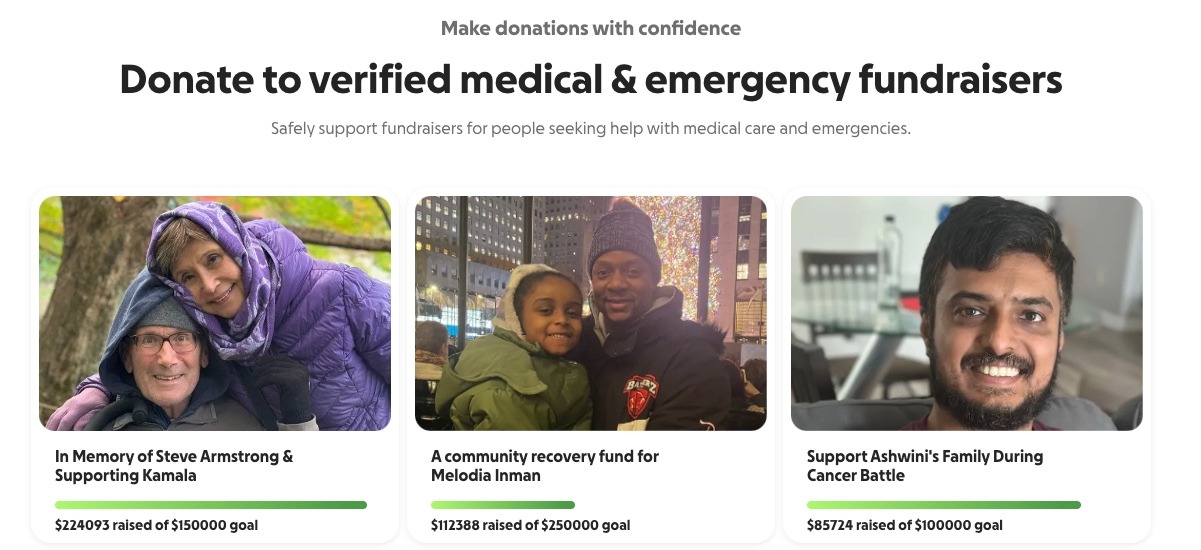
Not every fundraiser runs through a nonprofit. If you're raising money for yourself, a nonprofit site isn't the right tool. Zeffy is built for nonprofits, schools and clubs; for personal fundraisers, we recommend our partner Kindbee. Here's the short map.
Kindbee is for personal fundraisers in the United States: medical bills, emergencies and personal causes. It charges a 0% platform fee and a 0% transaction fee, and Kindbee covers the card fees itself. Its revenue comes from optional tips from donors.
GoFundMe is the best-known personal crowdfunding site, and that recognition helps people give. Individual fundraisers pay 2.9% + $0.30 per donation, about $1,600 on $50,000 raised in 500 gifts. Donors can also add an optional tip to GoFundMe, and supporters pay a 5% fee on recurring donations.
Spotfund is a personal crowdfunding site for individual causes. Before you launch, check how card processing is handled, since it comes out of what you receive. See how Zeffy compares with Spotfund.
Venmo works when the people giving already know you and already have the app. It's a payment app, not a campaign page, so there's no goal tracker or story page for strangers to find. See how Zeffy compares with Venmo.
Kickstarter is for creative projects. It's all-or-nothing: if you don't hit your goal, backers aren't charged. That works when a project truly can't happen below a set amount. Browse more crowdfunding options.
Indiegogo is built for creators and product launches rather than personal emergencies. See how Zeffy compares with Indiegogo.
For an individual: Start with the fees you'll actually pay on each gift, then think about reach. For a personal cause in the US, Kindbee keeps fees off your total; for a creative project, an all-or-nothing site may suit you better.
How we built this list: Fees come from each company's own pricing and help pages, checked in October 2026. Ratings come from Capterra and G2, as of October 2026. This guide is published by Zeffy, and no site paid for its place.
On $50,000 raised, the right answer is $50,000 received. Every other nonprofit site in this guide takes something: about $1,240 at the low end, more than $4,000 with subscriptions, or a figure you can't see until you sign a contract.
Zeffy is the only site here where nothing comes off the top, with a donor CRM built in and donations, events, memberships, auctions, peer-to-peer and a store in one free login. That's one login instead of five, and every dollar on mission.
People use the two words for the same thing. A fundraising site usually means the page donors land on. A fundraising platform usually means the tools behind it: donor records, recurring gifts, events, peer-to-peer and reporting. This guide ranks nonprofit sites on both: what you keep on $50,000 raised and how much of the toolkit comes in one login.
Zeffy. On $50,000 raised, you keep $50,000, because Zeffy charges no platform fee, transaction fee or card fee. Among sites with published rates, PayPal's confirmed-charity rate (1.99% + $0.49) loses about $1,240 on 500 gifts of $100, and Give Lively's required Stripe rate (2.2% + $0.30) loses about $1,250.
Zeffy is the only site on this list where the nonprofit pays nothing, with no conditions. Sites that skip a platform fee still charge card processing on every gift: about $1,250 on $50,000 at Stripe's 2.2% + $0.30 nonprofit rate. On Zeffy, donors can add an optional contribution at checkout, and your nonprofit receives 100% of every gift either way.
Zeffy covers card processing itself and charges nonprofits no fee of any kind. It's funded by optional contributions donors can choose to add at checkout. The contribution is never taken from the gift, so on $50,000 raised your nonprofit receives $50,000, whether donors contribute or not.
Zeffy, because it takes none. Among the others, the site's own cut is 0% on PayPal, Give Lively and Bloomerang (with Bloomerang's processor), but processing still applies. Donorbox Standard takes 2.95% to 3.95%, about $1,475 or more on $50,000. Network for Good's Free plan takes 3%, or $1,500. Fundraise Up and GoFundMe Pro don't publish their cut.
For a personal fundraiser in the United States, such as medical bills, an emergency or a personal cause, Zeffy recommends its partner Kindbee. Kindbee charges a 0% platform fee and a 0% transaction fee, covers card fees itself, and earns its revenue from optional donor tips. GoFundMe is the best-known alternative, at 2.9% + $0.30 per donation on individual fundraisers, about $1,600 on $50,000 raised in 500 gifts.
For a nonprofit, Zeffy: on $50,000 raised you keep $50,000, with a donor CRM built in. For a personal fundraiser in the US, Kindbee, Zeffy's partner, charges 0% platform and transaction fees and covers card fees. For comparison, GoFundMe deducts 2.2% + $0.30 per donation on certified nonprofit fundraisers and 2.9% + $0.30 on individual ones.
Zeffy. On $50,000 raised you keep all $50,000, and a volunteer can run donations, events, memberships, auctions, peer-to-peer and a store from one login, with every payment landing in a free donor CRM. It fits small nonprofits well and keeps fitting as you grow: unlimited contacts, no subscription and no paid tier.
Not on Zeffy. Zeffy asks for an EIN, not 501(c)(3) status. Some sites are stricter: Give Lively only accepts US 501(c)(3) public charities and private operating foundations, and PayPal's 1.99% + $0.49 charity rate needs confirmed 501(c)(3) status.
Your nonprofit should, so check how your data gets in and out before you pick a site. On Zeffy, every payment builds the donor record automatically, custom properties export in bulk, and a free public API reads your contacts, payments and campaigns. On sites without a built-in CRM, such as PayPal, Give Lively, Fundraise Up and GoFundMe Pro, donor data sits in reports or syncs to a CRM you pay for separately.


Discover the most effective ways to raise money for your nonprofit in 2023. Engage donors like never before with our best fundraising strategies.


.webp)


