Toutes les infos sur vos donateurs. Au même endroit.

Constituez votre liste de donateurs automatiquement, à partir de chaque don, billet et inscription, chaque don étant lié à la fiche du donateur.

Voyez l'historique complet de chaque donateur au même endroit, des dons et des billets aux inscriptions.

Filtrez les donateurs par date, montant, campagne ou champs personnalisés. Enregistrez un filtre comme liste : elle reste à jour à mesure que de nouveaux donateurs donnent.
unlimited contacts · free forever




Du premier don au prochain appel aux dons, en trois étapes.

Votre liste de donateurs se construit d'elle-même.

Voyez tous vos donateurs au même endroit.
Gardez-en 100 %, sans frais.
Tout ce qu'il vous faut pour gérer vos donateurs, sans frais.

Gérez tous vos contacts en un seul endroit
- Importez vos contacts de donateurs et leurs transactions passées.
- Vos contacts s'enrichissent automatiquement à chaque don ou achat depuis votre tableau de bord.
- Filtrez et exportez vos listes de contacts de donateurs.
- Dons cumulés, nombre de dons et dernier don, le tout sur un seul écran.

Suivez l'historique de vos donateurs
- Ajoutez des notes aux dossiers de vos donateurs.
- Segmentez vos contacts de donateurs avec des étiquettes.
- Consultez les courriels et les dons antérieurs pour rester en contact.
- Consultez les coordonnées et les préférences.

Enregistrez et suivez les dons hors ligne.
- Ajoutez les détails de paiement des transactions hors ligne à vos campagnes existantes pour suivre les totaux, centraliser les dons et émettre des reçus fiscaux.
- Générez et envoyez automatiquement des reçus fiscaux.
- Suivez les modes de paiement (argent comptant, chèque, en nature, etc.) pour organiser et simplifier vos rapports.

Utilisez des filtres intelligents pour organiser vos donateurs
- Identifiez vos bases de donateurs importantes : grands donateurs, donateurs récurrents ou donateurs susceptibles de s'impliquer davantage.
- Accédez à divers filtres : date de transaction, montant donné, campagne, etc.
- Créez des listes personnalisées pour vos courriels et exportez vos segments en quelques clics.
- Afficher les coordonnées et les préférences.
- Accédez facilement aux reçus de tous vos donateurs et collecte de fonds financement.
- Envoyez par courriel une liste enregistrée depuis le même écran, sans l'exporter ni la téléverser de nouveau.

Envoyez et suivez les courriels à vos donateurs.
- Consultez les statistiques : taux d'ouverture, clics, désabonnements.
- Configurez des courriels de rappel automatisés.
- Envoyez facilement des courriels à des listes personnalisées et à des donateurs segmentés.

Envoyez des formulaires préremplis, personnalisés pour chaque donateur.
- Augmentez le taux de conversion de vos donateurs grâce à nos formulaires préremplis dans vos collectes de fonds.
- Ajoutez facilement les liens de vos formulaires préremplis à vos courriels.
- Préremplissez les montants de don selon l'historique du donateur ou les objectifs de la campagne.
Votre plateforme tout-en-un pour gérer vos donateurs et rester en contact.
Foire aux questions
Est-ce que Zeffy est vraiment un CRM, et est-ce que ça convient à un petit OBNL comme à un gros ?
Oui, et c'est le même CRM dans les deux cas. Chaque donateur a une fiche qui se remplit toute seule : son historique de dons, les événements auxquels il est venu, son statut de membre, les courriels que vous lui avez envoyés et s'il les a ouverts, plus les notes et les listes que vous ajoutez. Rien à configurer au départ et aucune notion de base de données requise, ce qui compte quand la personne qui s'occupe des données des donateurs est aussi celle qui mène la campagne.
Pour un organisme plus gros, l'argument n'est pas la simplicité, c'est que rien ne change quand vous grandissez, et que les outils dont une plus grande équipe a besoin sont déjà là. Regroupez les familles en ménages et voyez leurs dons combinés, réunissez tous les donateurs d'un même employeur sous une seule fiche d'entreprise, suivez les promesses de dons, consignez les chèques reçus hors ligne, ajoutez vos collègues avec leurs propres permissions. Un organisme avec 40 000 contacts paie ce que paie un organisme avec 300.
Le courriel suit la même logique. Les infolettres et les appels à vos donateurs sont inclus, sans frais, et les confirmations et les remerciements que Zeffy envoie pour vous ne comptent jamais dans votre plafond d'envoi quotidien. Les outils d'infolettre facturent presque tous par tranche de contacts, alors la même liste vous coûte plus cher chaque année où elle grandit. Ici, elle ne coûte rien.
Est-ce que le CRM de donateurs de Zeffy est vraiment gratuit ?
Gratuit veut dire le produit au complet, pas une version de départ. Aucun abonnement, aucune tarification par contact, aucuns frais de transaction et aucuns frais de carte. Rien n'est gardé derrière une mise à niveau non plus, alors le CRM que vous utilisez en troisième année est celui avec lequel vous avez commencé le premier jour. Le détail complet est sur notre page de tarification.
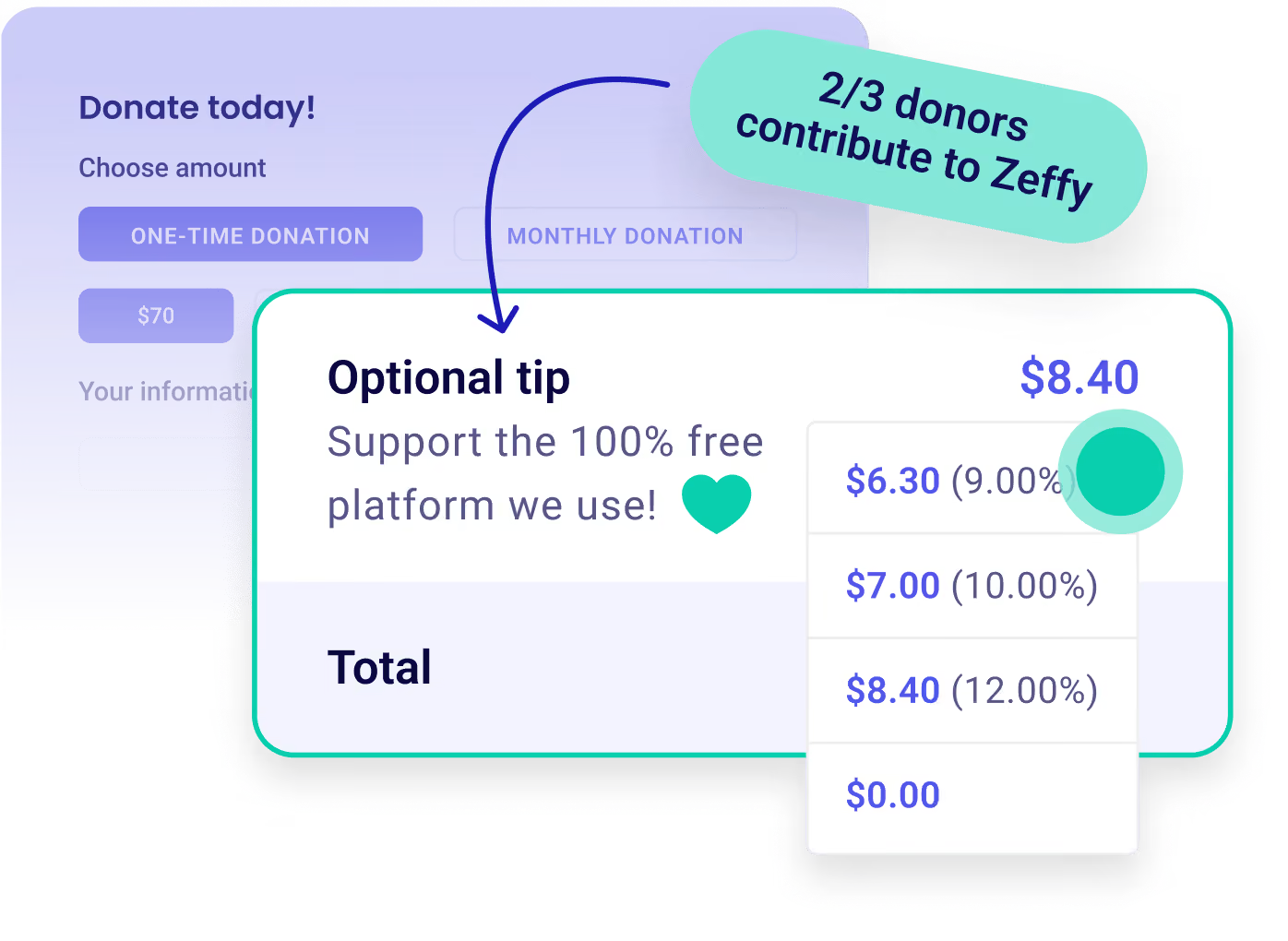
Zeffy est gratuit pour votre organisme, sans condition. Séparément, au moment de payer, chaque personne se voit offrir la possibilité d'ajouter une contribution volontaire, qu'elle est libre de mettre à zéro. La seule chose que vous pouvez payer à Zeffy, c'est l'affranchissement, si vous utilisez le Courrier aux donateurs pour envoyer des lettres imprimées.
Combien de fiches de donateurs puis-je conserver gratuitement ?
Il n'y a aucune limite de contacts, et aucun palier payant, alors la taille de votre liste ne change jamais votre prix. Ajoutez tous vos donateurs, tous vos participants aux événements, tous vos membres et tous ceux qui ont donné une fois il y a dix ans : ça ne coûte toujours rien.
La tarification par tranche de contacts est la norme ailleurs, et elle fait pire que coûter cher, elle pousse les équipes à supprimer des fiches pour rester dans une tranche. Gardez tout le monde. C'est l'historique qui rend possible, plus tard, une relance de donateurs inactifs ou une comparaison d'une année à l'autre.
Puis-je importer mes contacts et mon historique de dons ?
Oui, les deux, avec deux modèles : un pour les contacts, un pour l'historique de paiements. Si votre liste vit dans Mailchimp, vous pouvez plutôt connecter le compte et rapatrier vos contacts directement. Les contacts amènent le prénom et le nom, le courriel, la langue, l'adresse complète, le téléphone, les notes, les listes et le nom de l'entreprise. L'import de paiements rattache chaque don passé au bon contact, et crée le contact s'il est nouveau. La limite est de 10 000 fiches par fichier, alors une grosse base arrive en quelques lots.
C'est le courriel qui sert à Zeffy pour identifier un contact, donc nettoyer vos adresses avant de téléverser évite la plupart des doublons. S'il en passe quand même, Zeffy signale les cas probables et vous les comparez côte à côte avant de fusionner, en choisissant quoi garder.
Une chose à planifier avant d'annuler quoi que ce soit : les dons récurrents ne se transfèrent pas d'une plateforme à l'autre. Les informations de carte ne circulent pas entre fournisseurs, alors vos donateurs mensuels et vos membres à renouvellement automatique doivent repartir leur don récurrent sur un formulaire Zeffy. La plupart des organismes font rouler les deux plateformes pendant un cycle et écrivent à leurs donateurs récurrents pour les inviter à migrer.
Puis-je segmenter mes donateurs et écrire à un segment précis ?
Oui, et ce sont les filtres qui font le travail. Segmentez par campagne, par montant total donné, par date de transaction, selon qu'une personne est donatrice récurrente ou membre, par liste manuelle, par note, par langue, par région ou par entreprise. Empilez-en autant que vous voulez et choisissez si un contact doit tous les satisfaire ou un seul, puis sauvegardez le résultat comme liste et écrivez-lui depuis le même écran.
Concrètement, ça donne : tous ceux qui ont donné plus de 500 $ au total mais rien depuis un an, pour une relance de donateurs inactifs. Vos donateurs mensuels d'une même ville, pour un remerciement local. Tous ceux qui ont pris un billet pour le souper-bénéfice l'an dernier et pas cette année, trois semaines avant la date. Aucun export vers un tableur, aucun téléversement ailleurs.
Puis-je gérer les dons, les participants aux événements et les membres depuis la même fiche ?
Oui, et ça se fait sans que personne le saisisse. Chaque don, chaque billet, chaque achat en boutique, chaque adhésion et chaque page pair-à-pair crée la fiche de la personne ou met à jour celle qui existe déjà, à partir de ce qu'elle a entré au moment de payer. Quelqu'un qui a donné en décembre, pris deux billets pour le souper-bénéfice en avril et renouvelé une adhésion familiale en juin, c'est une seule fiche qui porte tout ça, à côté de chaque courriel que vous lui avez envoyé et des notes que votre équipe a ajoutées.
Vous pouvez aussi regrouper les fiches. Les ménages réunissent les membres d'une même famille pour que vous voyiez leurs dons combinés et que vous les remerciiez une seule fois, à une seule adresse. Les entreprises font pareil pour tous les donateurs d'un même employeur, appariés par le domaine de leur courriel. Zeffy va même vous suggérer un regroupement quand il repère des fiches qui ont l'air d'aller ensemble. Les dons hors ligne vivent au même endroit : consignez un chèque ou un don en argent comptant sur la fiche et il se place à côté des dons en ligne.
En quoi Zeffy se distingue de Yapla, de ProDon ou de DonorPerfect ?
Commencez par Yapla, parce que c'est l'option que la plupart des OBNL québécois regardent en premier, et parce que le mot gratuit ne suffit pas à départager les deux : Yapla aussi publie 100 % gratuit et finance son offre par une contribution volontaire. Le vrai test, ce sont les conditions. Sa page d'offres précise que les paiements par carte de crédit en mode contribution volontaire sont limités à 500 $ par transaction, et qu'au-delà il faut activer une option et payer 3,9 % + 0,30 $. La même page indique des frais de 30 $ pour chaque contestation de paiement, sur l'ensemble des forfaits, l'offre gratuite comprise. Sa foire aux questions ajoute qu'une licence égale une personne connectée à la fois, et qu'il faut ajouter une licence par connexion simultanée supplémentaire.
Chez Zeffy, il n'y a pas de seuil à partir duquel les frais reprennent, pas de forfait payant vers lequel migrer, et aucuns frais de contestation. Vos collègues ont chacun leur accès, avec leurs propres permissions. Nous n'avons jamais facturé un sou à un OBNL, et nous ne le ferons jamais.
Les deux autres noms qui reviennent au Québec sont des logiciels payants, et ils ne se comparent pas de la même façon. ProDon, de Logilys, est souvent le système déjà installé dans une fondation établie, et il ne publie aucun prix : son site vous renvoie à Nous joindre pour obtenir une soumission, alors la question n'est pas l'écart de tarif, c'est le temps et la migration. DonorPerfect, lui, affiche un prix sur sa page canadienne-française, à partir de 129 $ par mois, et y revendique des reçus fiscaux aux normes de l'ARC. Le CRM de Zeffy est à 0 $, quelle que soit la taille de votre liste.
Ce que vous obtenez de notre côté : des fiches qui se remplissent d'elles-mêmes à partir de chaque campagne, des filtres empilés sauvegardés comme listes, des ménages et des entreprises avec leurs dons combinés, la détection de doublons avec fusion côte à côte, le suivi des promesses de dons, la consignation des dons hors ligne, et le courriel depuis le même écran que vos données. Ce que vous n'obtenez pas, c'est un projet de correspondance de champs à mener avant de pouvoir vous en servir.
Est-ce que Zeffy se connecte à des outils comme Mailchimp ou QuickBooks ?
QuickBooks se connecte nativement et c'est gratuit. Associez chaque campagne à un compte de revenus une seule fois, et chaque déboursement arrive déjà ventilé par campagne ou par fonds, avec un courriel de Zeffy si une synchronisation échoue. Quatre choses qu'un trésorier devrait savoir : la synchronisation va dans un seul sens, donc les changements faits dans QuickBooks ne reviennent pas dans Zeffy ; elle part du jour où vous l'activez plutôt que de reprendre votre historique ; les remboursements ne se synchronisent pas, alors ils restent une écriture de journal de votre côté ; et elle inscrit un dépôt par déboursement plutôt que les transactions une par une. La configuration est sur la page intégration QuickBooks.
Mailchimp, c'est une autre question, parce que pour la plupart des OBNL Zeffy le remplace au lieu de s'y connecter, même si vous pouvez connecter votre compte Mailchimp pour rapatrier vos contacts au moment de changer. Vos contacts sont déjà ici, alors vous montez vos infolettres à partir de modèles, vous les planifiez, vous les envoyez à un segment sauvegardé et vous suivez les ouvertures et les clics sans exporter de liste ni payer un deuxième outil. Mailchimp plafonne son offre gratuite à la fois sur le nombre de contacts et sur le nombre d'envois, et il ne peut pas encaisser un don ; ses forfaits payants se mesurent sur les deux mêmes choses, alors une liste qui grandit vous coûte plus cher des deux côtés.
Le reste passe par Zapier, Salesforce inclus, avec environ un millier d'autres outils. Il y a aussi une API Zeffy en lecture sur les paiements, les contacts et les campagnes, que vous activez depuis votre tableau de bord, plus des webhooks sortants qui se déclenchent quand un paiement passe.
Puis-je ajouter des champs personnalisés, par exemple une date d'anniversaire ou le mode de contact préféré ?
Oui. Les propriétés de contact personnalisées vous permettent de conserver ce qui compte pour votre organisme au-delà du nom et du courriel, dans le format qui convient : texte, nombre, téléphone, courriel, date, oui ou non, ou une liste à choix unique ou multiple. Créez-en une dans Gérer les propriétés de contact et elle apparaît sur chaque contact de votre base. Vous pouvez aussi la réutiliser comme question sur vos formulaires, pour qu'elle se remplisse au moment de payer plutôt que d'être tapée après coup.
Les propriétés personnalisées sont encore en déploiement, alors si vous ne les voyez pas encore sur vos contacts, elles s'en viennent. Les rapports n'ont pas suivi non plus : les réponses personnalisées s'affichent sur la fiche et ressortent dans un export de contacts, mais elles ne peuvent pas encore être filtrées ni regroupées dans un rapport. Si vous devez segmenter sur quelque chose dès aujourd'hui, une note ou une liste feront le travail, parce que les deux sont des types de filtre.
100,000 OBNL amassent des fonds avec Zeffy
Depuis 7 ans, Zeffy soutient les organismes à but non lucratif avec des outils de collecte de fonds 100 % gratuits et faciles à utiliser.